
.png)
Description
Download AI Tutor by SoundOcean – Personalized Learning, 24/7 Homework Help, Test Prep
Overview
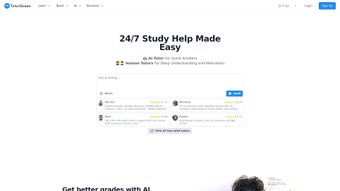
AI Tutor by SoundOcean is a web‑based educational platform that blends cutting‑edge artificial intelligence with a network of qualified human tutors to create a truly adaptive learning environment. Designed for students ranging from middle school to university level, the service offers round‑the‑clock homework assistance, targeted test preparation, language‑learning modules, and comprehensive writing support—all within a single subscription‑based interface. What sets AI Tutor apart is its ability to analyze a learner’s strengths, weaknesses, and preferred study style, then automatically generate a customized lesson plan that evolves as the student progresses. The platform’s instant‑response AI chat can break down complex theory, generate practice questions, and even suggest writing prompts that align with the user’s curriculum. When a student needs deeper clarification or motivation, the system seamlessly connects them to a qualified human tutor, ensuring that the learning experience never feels isolated.
By combining AI‑driven personalization with the empathy of live tutoring, AI Tutor by SoundOcean aims to boost academic confidence, improve grades, and foster lifelong learning habits. The solution is accessible from any modern browser, making it a secure, update‑ready tool for learners on Windows, macOS, Android, or iOS devices. In addition to the core learning functions, the platform includes robust analytics that track time spent on each topic, mastery levels, and areas that need reinforcement. Parents and educators can also create custom dashboards to monitor progress across multiple students, set goals, and receive automated performance reports. All data is stored with end‑to‑end encryption, complying with GDPR and other privacy standards, so users can feel confident that their personal information and academic records remain safe. Whether you are preparing for a high‑stakes exam, tackling a challenging homework assignment, or simply looking to sharpen a foreign language, AI Tutor provides a flexible, scalable, and secure learning companion that adapts to the unique needs of each learner.
Core Features & Benefits
- 24/7 AI‑Powered Homework Assistance – Instant answers, step‑by‑step explanations, and reference links for math, science, history, and more.
- Adaptive Lesson Plans – AI analyses performance data to create daily study schedules tailored to each student’s pace.
- Test Preparation Engine – Generates practice exams, timed quizzes, and personalized feedback for SAT, ACT, GRE, and other standardized tests.
- Language Learning Modules – Conversational practice, vocabulary drills, and grammar correction for over 15 languages.
- Writing Support Suite – AI suggests outlines, refines tone, checks plagiarism, and provides citation assistance.
- Hybrid Human Tutor Access – One‑click escalation to a live tutor for complex concepts or motivational coaching.
- Self‑Assessment Quizzes – Immediate scoring, detailed rationales, and progress tracking dashboards.
- Secure Cloud Sync – All study data, notes, and progress are encrypted and synchronized across devices.
- Regular Content Updates – Curriculum‑aligned material refreshed each semester to stay current with educational standards.
These features work together to create a holistic learning ecosystem. For example, a student struggling with algebra can ask the AI chat for a specific problem, receive a detailed walkthrough, and then see that concept reinforced in the next personalized lesson plan. If the AI detects a recurring difficulty, it automatically schedules a live tutoring session, ensuring that gaps are closed before they affect grades. The platform’s language modules use spaced‑repetition algorithms, which research shows improve retention by up to 40 % compared with traditional flashcards. Meanwhile, the writing suite not only corrects grammar but also teaches style, helping users evolve from “basic” to “polished” essays over time.
The Test Preparation Engine is particularly powerful because it pulls from a constantly updated question bank, mirroring the latest patterns seen on standardized exams. Students can simulate full‑length tests with realistic time limits, receive instant scoring, and access a breakdown of strengths and weaknesses by topic. This data feeds back into the adaptive lesson planner, which then prioritizes the areas that need the most attention. In addition, the Hybrid Human Tutor Access ensures that no learner is left stranded on a problem that the AI cannot fully resolve; a qualified tutor can step in within minutes, providing video or text‑based assistance based on the learner’s preference. Overall, AI Tutor delivers a multi‑dimensional educational experience that is both scalable and deeply personal, making it an attractive option for families, schools, and individual learners alike.
Installation, Usage & Compatibility
Getting Started
Because AI Tutor is a cloud‑native web app, there is no traditional “installation” process. Users simply visit aitutor.soundocean.com, create an account, and select a subscription tier that matches their needs (monthly, quarterly, or annual). After confirming the payment, the dashboard appears, offering immediate access to the AI chat, lesson‑plan generator, and tutoring marketplace. For students who prefer a native feel, the service provides progressive web app (PWA) shortcuts for Windows, macOS, Android, and iOS. By clicking “Add to Home Screen” on any supported browser, the platform behaves like a standalone app while still receiving automatic updates from the server.
The sign‑up flow includes an optional onboarding questionnaire that asks about current grades, preferred learning style, and upcoming academic goals. This information seeds the AI’s personalization engine, allowing it to craft a starter lesson plan within minutes of the first login. Users can also import existing study notes from Google Drive, OneDrive, or local files, ensuring that no prior work is lost. Once inside the dashboard, a clean navigation bar at the top provides quick links to “Homework Help,” “Practice Tests,” “Language Lab,” “Writing Center,” and “My Tutor.” Each module is designed with intuitive icons and concise tooltips, reducing the learning curve for younger students and tech‑novice parents alike.
System Requirements
- Desktop: Modern browsers (Chrome ≥ 89, Firefox ≥ 86, Edge ≥ 89, Safari ≥ 14) on Windows 10/11 or macOS 10.15+.
- Mobile: Android 8.0+ with Chrome or any default browser; iOS 13+ with Safari or Chrome.
- Internet: Minimum 3 Mbps broadband for optimal real‑time AI response; 5 Mbps recommended for video tutoring sessions.
Once logged in, the user is greeted by a clean dashboard that displays upcoming lessons, pending homework requests, and a quick‑access AI chat window. To start a session, simply type a question or select a subject from the menu. The AI instantly parses the query, draws from its knowledge base, and returns a concise answer with optional deep‑dive links. For practice, the “Practice Questions” tab generates randomized problems aligned with the student’s current curriculum. All progress is saved automatically, and the analytics pane shows time spent, concepts mastered, and areas needing improvement.
The platform also supports integration with Google Classroom and Microsoft Teams, allowing teachers to push assignments directly into AI Tutor and monitor class‑wide performance from a single admin console. For schools that require single‑sign‑on (SSO), the service offers SAML and OAuth2 options, making deployment across large districts straightforward. In environments with limited bandwidth, users can enable “Low‑Data Mode,” which reduces the size of AI‑generated media and disables video streaming for live tutoring while still providing text‑based assistance. Overall, the combination of lightweight web technology, optional PWA installation, and robust cross‑platform compatibility ensures that AI Tutor delivers a seamless experience on virtually any device a student might use.
Pros, Cons & Frequently Asked Questions
Pros
- Highly personalized learning paths adapt in real time based on performance data.
- 24/7 AI assistance eliminates waiting times for basic queries and provides instant feedback.
- Hybrid model gives access to human tutors when deeper insight or motivation is required.
- Cross‑platform availability via web and PWA ensures seamless switching between devices.
- Regular curriculum updates keep content aligned with school standards and exam changes.
- Robust analytics and parental dashboards provide transparent progress tracking.
- Secure cloud sync with end‑to‑end encryption protects personal and academic data.
Cons
- Subscription cost may be a barrier for some families without financial aid.
- Internet dependence means offline study is limited to previously downloaded resources.
- Initial AI suggestions can occasionally be too generic until enough usage data is gathered.
- Live tutor availability may vary during peak hours, potentially leading to short wait times.
- Advanced features such as test‑prep analytics are locked behind higher‑tier plans.
FAQ
Is there a free trial for AI Tutor by SoundOcean?
Yes. New users receive a 7‑day free trial with full access to all AI features and one live tutoring session. No credit card is required to start the trial.
How secure is my personal data on the platform?
AI Tutor employs end‑to‑end encryption, GDPR‑compliant data handling, and regular security audits. All user information, including progress reports and payment details, is stored on secure cloud servers.
Can I use AI Tutor on multiple devices simultaneously?
Absolutely. Because the service is cloud‑based, you can log in from any supported device, and your session will sync instantly. Live tutoring sessions can be joined from a desktop or mobile device without interruption.
What subjects does AI Tutor cover?
The platform supports core K‑12 subjects (Math, Science, English, History, Geography) plus elective areas such as Computer Science, Art, and foreign languages. Test‑prep modules include SAT, ACT, GRE, GMAT, and AP exams.
How do I schedule a live tutor session?
From the dashboard, click “Request Human Tutor,” select the subject and preferred time slot, and confirm. The system matches you with an available tutor within minutes, and a video link is generated automatically.
Is there an offline mode for studying without internet?
AI Tutor offers a limited offline mode that lets you review previously downloaded lessons, practice flashcards, and read saved notes. Full AI chat and live tutoring require an active internet connection.
Conclusion & Call to Action
AI Tutor by SoundOcean delivers a modern, AI‑enhanced learning experience that feels both personal and scalable. By uniting instant, data‑driven assistance with the empathy of live tutoring, the platform addresses the biggest pain points in self‑guided study: motivation, clarity, and timely feedback. Whether you’re a high‑school junior prepping for college entrance exams, a university student tackling advanced calculus, or a lifelong learner polishing a new language, the adaptive lesson plans and 24/7 chat make consistent progress achievable. While the subscription cost may require budgeting, the value of a continuously updated, secure, and cross‑platform educational companion often outweighs the expense, especially when compared to traditional private tutoring rates.
Ready to transform your study habits? Start your free 7‑day trial today and experience how AI‑driven personalization can boost your grades, confidence, and love of learning. Join thousands of students who have already made AI Tutor by SoundOcean their go‑to academic ally and watch your academic performance soar.
Pros: Adaptive lesson plans, 24/7 AI chat, seamless human tutor integration, multi‑device support, robust analytics.
Cons: Requires stable internet, subscription cost for premium features, limited offline capability.
Guides & Tutorials for AI Tutor by SoundOcean
How to install AI Tutor by SoundOcean
- Click the Preview / Download button above.
- Once redirected, accept the terms and click Install.
- Wait for the AI Tutor by SoundOcean download to finish on your device.
How to use AI Tutor by SoundOcean
This software is primarily used for its core features described above. Open the app after installation to explore its capabilities.
User Reviews for AI Tutor by SoundOcean 0
No reviews found




